Take control of your money — one month at a time
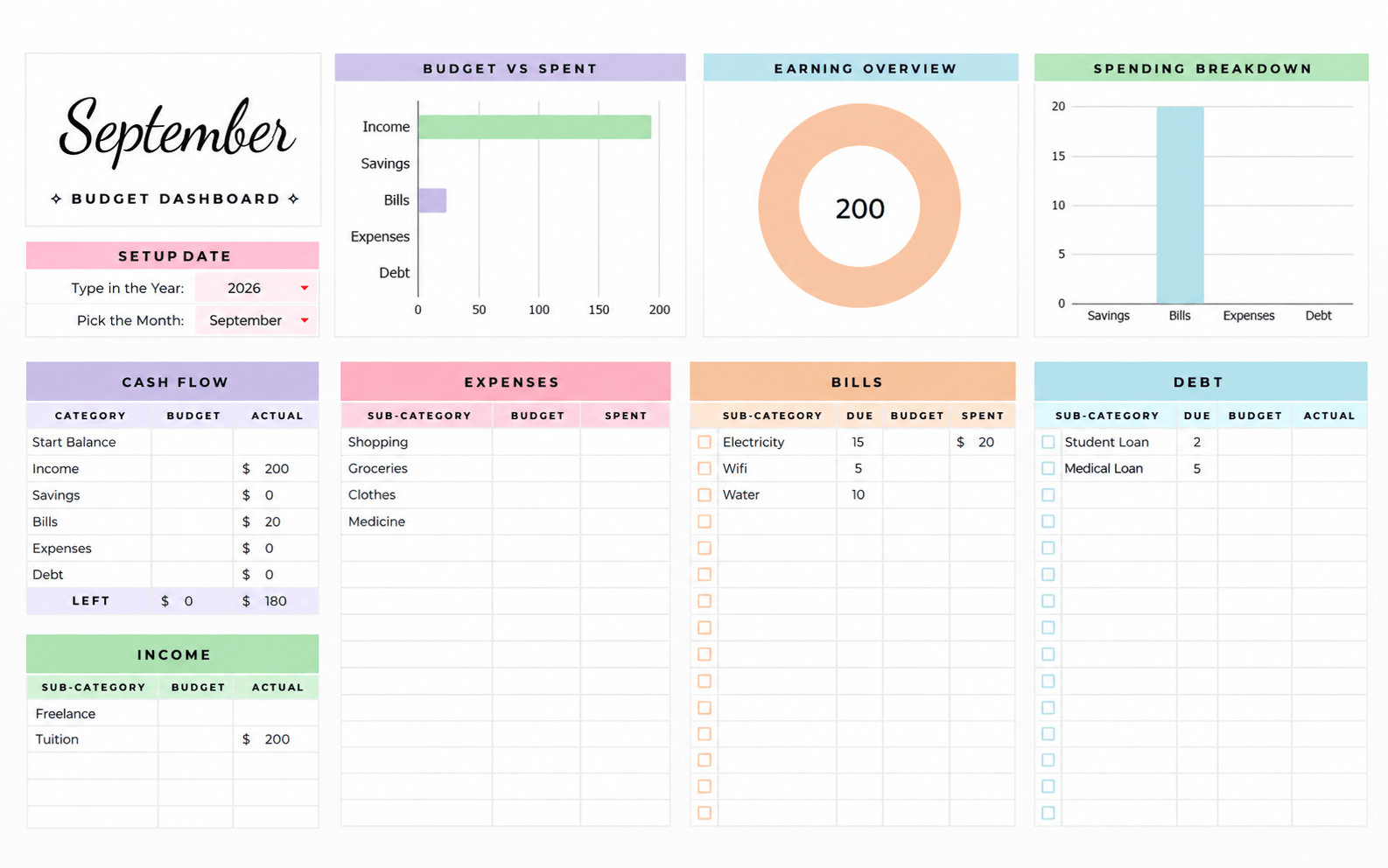
The Smarter Way to Budget
Take Control of Your Money.Without the Spreadsheet Stress.
Track income, expenses, savings, bills, and spending priorities in one beautiful, easy-to-use Google Sheets budget planner.
- Fully editable Google Sheets template
- 12 monthly budget dashboards
- Automatic calculations & visual charts
- Bill calendar & priority tracking
- Instant digital access
- Cash flow overview
Instant digital download • No subscription required
Features
A Closer Look Inside
Every part of the planner is designed to be read at a glance — click any view to see it larger.
How It Works
Start Budgeting in Three Simple Steps
01
Get the Template
Complete your purchase and receive instant access.
02
Customize Your Setup
Choose your currency, categories and preferences.
03
Start Budgeting
Track spending and let the formulas and dashboards do the work.
Why This Planner
Built for People Who Want Their Money to Feel Simpler.
Spend With Intention
See exactly where your money is going.
Plan Ahead
Prepare for bills, expenses and savings goals.
Understand Your Habits
Use visual summaries to identify spending patterns.
Stay Consistent
Keep every month organized in one place.
Reduce Spreadsheet Work
Automatic calculations do the repetitive work.
Customize Everything
Make the planner fit your life.
Pricing
Start Budgeting Smarter Today.
One payment. Every feature. Yours for life.
Lifetime Access
9.99One-time payment
- Full budget planner
- 12 monthly dashboards
- Transaction log
- Bill calendar
- Priority tracker
- PDF instructions
- Lifetime access to the purchased version
Secure checkout via Lemon Squeezy • Instant digital download • PDF instructions included
Kind Words
Made for Real Monthly Budgeting
Sample feedback from early users of the planner.
“I really love your design style. It's clean, elegant, and exactly the kind of aesthetic I enjoy.”
“Love it, easy to use!!”
“Very nice template, easy to use, good instructions and nice colours.”
“Just what I needed. Thank you”
FAQ
Questions, Answered
Yes. The planner is a fully editable Google Sheets template. You will need a free Google account to open, copy and use it.
No. This is a digital download — nothing will be shipped. You receive access to the template right after purchase.
After checkout you'll receive instant access to the Google Sheets template, along with step-by-step PDF instructions for setting it up.
Yes. Categories and sub-categories are fully editable on the Setup page, so the planner adapts to how you actually spend.
Yes. Currency is configurable on the Setup page, and number formatting can be adjusted like any Google Sheets file.
Yes. Formulas throughout the template automatically total your income, expenses, bills and savings, and the monthly dashboards update as you log transactions.
Yes. The planner includes 12 monthly dashboards, and duplicating sheets makes it easy to keep going year after year.
Because this is an instantly delivered digital product, please review the product details carefully before purchasing. If something isn't working as described, contact support and we'll help.
Yes. Google Sheets runs in the browser, so the planner works on Mac, Windows, Chromebook, tablets and phones.
Yes. A step-by-step PDF guide is included to walk you through setup and daily use.
No. The template is built for Google Sheets and works with a free Google account — Excel is not required.
Build Better Money Habits.
Get practical budgeting tips, spreadsheet ideas, and occasional product updates delivered to your inbox.